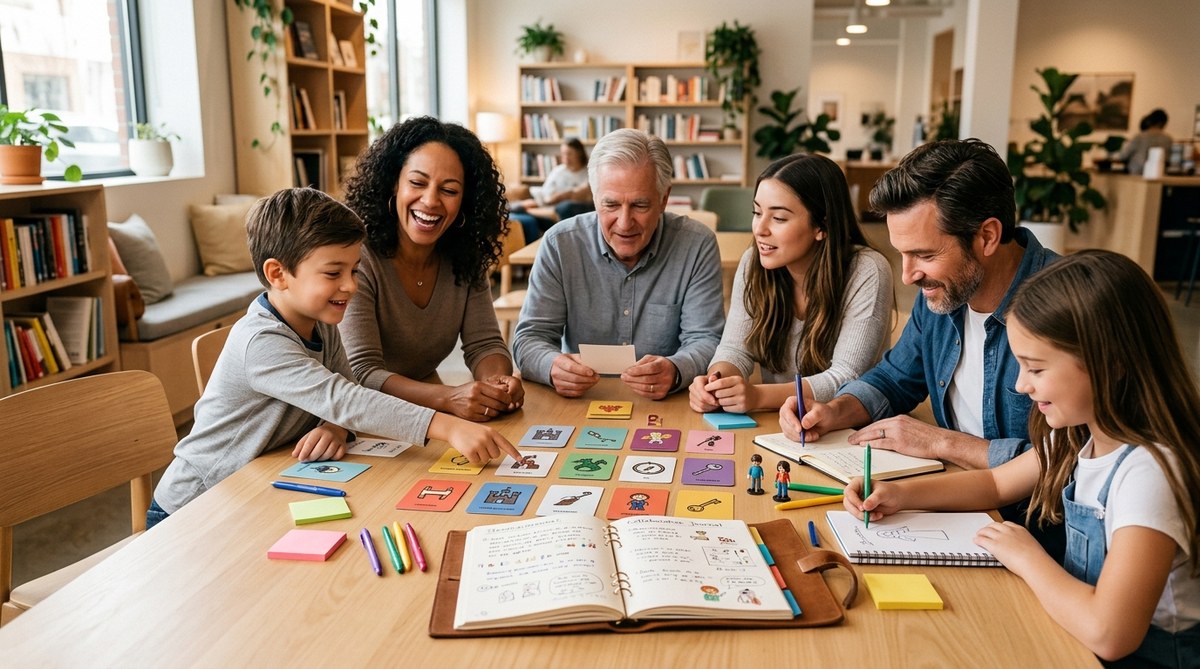
The power of a story lies not in a single voice but in the chorus that forms when many voices come together. On Everystory, you can turn ordinary moments into shared memories, turning family dinners, team milestones, and everyday life into collaborative stories that last. Whether you are a parent trying to capture a child’s growth, a team leader seeking richer collaboration, or a group of friends looking to preserve a legacy, collaborative storytelling offers a playful yet profound path forward. In this article, we will explore why collaborative storytelling matters, how to do it well, and the practical formats that help families and teams build stories together without needing design skills or fancy equipment.
Why collaborative storytelling matters
Collaborative storytelling strengthens bonds by inviting everyone to contribute. It transforms storytelling from a solo journey into a shared project where each person adds a thread. Here are some core benefits:
- Builds empathy and understanding across generations and personalities
- Preserves memories in a living, evolving format
- Encourages active listening and respectful dialogue
- Creates a repository of wisdom, jokes, recipes, and values for future generations
- Offers a fun, low pressure way to unwind and connect
For families, collaborative storytelling can mean a living family archive that grows with each milestone. For teams, it can become a culture-building practice that documents values, successful strategies, and the human side of work. The beauty of Everystory is that you can tailor the experience to your needs, whether you want quick prompts for a five minute check in or a long project that unfolds over weeks.
Tools and formats for collaborative storytelling
Different formats suit different groups. The key is to choose approaches that invite participation, reduce friction, and honor every voice. Below are some reliable formats that work well for both families and teams.
Six word stories and micro narratives
A six word story distills memory into a tiny capsule. It is a powerful exercise for warm ups and ongoing projects.
- How to use: Each person writes or says a six word story about a theme, such as a favorite family recipe, a first day at a new job, or a turning point in a project.
- Benefits: Easy to start, low pressure, sparks curiosity and conversation.
- Variations: Turn six word stories into a weekly prompt, then stitch them into a single composite story on Everystory.
Visual storytelling without design skills
Not everyone is a designer, but everyone has a story to tell. Visual storytelling lets participants share photos, sketches, or quick doodles to accompany text.
- How to use: Upload a photo with a short caption or a one paragraph memory. Use Everystory’s simple layout tools to arrange images along a timeline or in a gallery.
- Benefits: Appeals to visual learners, lowers barriers to participation, and creates an engaging memory canvas.
- Variations: Create a series of visual spreads that tell a journey, such as a family vacation or a project sprint from start to finish.
Food narratives and memory meals
Food is a gateway to memory. Food narratives invite people to share stories centered around meals, recipes, and sensory memories.
- How to use: Each participant contributes a favorite dish and the memory behind it, plus a recipe snippet or a tip they learned from it.
- Benefits: Rich, multi-sensory stories that bring generosity and culture into the storytelling space.
- Variations: Build a foodie series with a new dish each week and annotate with photos and the associated stories.
QR memory galleries
Integrating physical and digital storytelling bridges the old and the new. QR memory galleries let you scan a code to access a curated memory page.
- How to use: Print QR codes on family albums or team boards that link to a digital memory page. People can contribute to the page by scanning, adding, and commenting.
- Benefits: Fun, interactive, and inclusive for those who prefer hands on activities or remote participation.
- Variations: Create seasonal galleries for holidays, milestone anniversaries, or project anniversaries.
AI structured life stories
AI can help organize memories into a coherent life story or a project narrative while keeping the human touch.
- How to use: Start with a rough outline and use simple prompts to flesh out chapters, then refine with family or team notes.
- Benefits: Saves time and helps weave disparate memories into a cohesive arc.
- Variations: Use AI to draft a first version and then invite collaborators to annotate, correct, and add color with their own memories.
Getting started with Everystory
If you are new to collaborative storytelling, here is a practical pathway to begin quickly and steadily.
Quick start steps
- Pick a scope: family memory, team milestone, or a cross over between personal and professional life.
- Choose a primary format: six word stories for openers, visual storytelling for engagement, or QR galleries for a mixed approach.
- Set a cadence: decide how often to post new prompts or memory entries (weekly works well for families; biweekly or monthly can suit teams).
- Invite contributors: send out invites to family members or team colleagues with clear expectations and simple prompts.
- Create a starter piece: model how a collaborative story begins and encourage others to add their voice.
Choosing prompts
Prompts shape the direction of a collaborative story. Choose prompts that invite personal memory while staying universal enough to involve others.
- Personal prompts: “Describe a moment when you felt truly seen by this person,” “What is a family ritual you want to preserve for future generations?”
- Team prompts: “Share a turning point on this project,” “What value helped us succeed in this milestone?”
- Sensory prompts: “What did you smell, hear, or taste during this memory?”
- Visual prompts: “Share a photo and the story behind it.”
Designing a storytelling session
A well designed session helps participants feel safe, seen, and excited to contribute. Here are practical guidelines.
Facilitator tips
- Set a welcoming tone: begin with a short share aloud to model vulnerability and openness.
- Establish ground rules: listen fully, avoid interrupting, and celebrate all contributions.
- Provide time blocks: give everyone a few minutes for each entry, with gentle reminders when time is up.
- Use prompts creatively: mix prompts so that some are reflective and others are playful.
- Close with appreciation: acknowledge every contribution and summarize what you learned together.
Example session plans
- Family memory night (60 minutes)
- 10 minutes: warm up with six word stories about a favorite family moment
- 20 minutes: visual storytelling round with 3 prompts
- 15 minutes: food narratives one dish at a time
- 10 minutes: QR gallery check in and add one memory
-
5 minutes: closing reflections and a plan for the next session
-
Team retrospective offsite (90 minutes)
- 15 minutes: six word stories about the project journey
- 25 minutes: AI assisted life story draft of a project milestone
- 20 minutes: visual timeline of the sprint and outcomes
- 15 minutes: celebrate people who contributed beyond metrics
- 15 minutes: plan next collaborative piece and assign owners
Overcoming common challenges
Collaborative storytelling can surface different comfort levels and dynamic tensions. Here are common hurdles and practical fixes.
- Hesitation to share
- Fix: start with low pressure prompts and anonymous submissions if needed, then unveil contributions gradually.
- Dominant voices drowning others
- Fix: assign rotating discussion roles, use time boxes, and explicitly invite quieter members to contribute first.
- Privacy concerns
- Fix: set clear privacy expectations, allow private entries, and control access levels for each story.
- Language and accessibility barriers
- Fix: provide prompts in multiple formats, offer audio options, and ensure visual elements support diverse abilities.
Case scenarios you can try this week
- Scenario 1: A family tradition archive
- Goal: capture stories around a tradition that may evolve or disappear.
- Format: visual storytelling with photos, a few lines of text, and a QR gallery linking to upcoming prompts.
-
Outcome: a living archive that two generations can contribute to and revisit.
-
Scenario 2: A cross generational project at work
- Goal: document lessons learned from a major project in a narrative form.
- Format: six word stories to start, then a longer AI assisted life story per milestone.
-
Outcome: a narrative that helps new teammates learn from experienced colleagues.
-
Scenario 3: A community cooking night
- Goal: blend personal memories with a shared meal experience.
- Format: food narratives plus a collaborative recipe booklet with photos and notes.
Best practices for inclusive storytelling
- Invite every voice explicitly, especially quieter participants.
- Respect different comfort levels with sharing and offer private options.
- Mix prompts that are fun with prompts that are meaningful.
- Create safe online and offline spaces where participation feels natural.
- Repeat and revise stories over time; a living narrative grows richer with time.
SEO and reach: How to share stories responsibly
- Use descriptive titles that reflect the content of the piece.
- Include a short meta description that captures the essence of the story and its benefit to readers.
- Optimize images with alt text that explains what the image communicates.
- Link to related stories or prompts to encourage deeper engagement.
- Respect privacy by offering opt in and opt out options for sharing personal memories publicly.
FAQ
How can I invite others to collaborate
- Send a simple invite with a clear prompt and short instructions.
- Use shareable links that restrict editing rights if needed.
- Create a regular cadence so people know when to contribute.
How do I preserve privacy
- Establish privacy settings at the start.
- Allow contributors to post privately or anonymously.
- Provide a clear explanation of who can view and edit the story.
How long should a session last
- Families: 45 to 60 minutes is ideal with a few short prompts.
- Teams: 60 to 90 minutes allows for a balance of reflective and action oriented storytelling.
Can AI help with storytelling without taking away from human voices
- Yes, use AI to draft outlines, group related memories, or suggest prompts.
- Critical step: always review and refine the AI produced content with human input to ensure authenticity and tone.
Real world inspiration: how Everystory can empower your storytelling
- A family uses six word stories to capture a year in their lives, posting one memory every week. Over twelve weeks the family builds a vibrant yearbook of memories.
- A team creates a visual timeline of a product launch, with photos from designers, engineers, and marketing, narrated by the team lead in plain language.
- A group of friends build a QR memory gallery for a reunion, linking to audio recordings of favorite shared stories and adding new entries.
How to start today on Everystory
- Create a new story project with your chosen format.
- Invite family members or team colleagues with a simple invitation.
- Post an opening prompt and a starter memory to set the tone.
- Schedule your first session and choose a cadence that fits your group.
- Monitor engagement, celebrate participation, and adjust prompts as needed.
Everystory is a place where every story matters and collaboration becomes a joyful habit. The platform supports families and teams by offering flexible formats, practical prompts, and intuitive tools that make storytelling accessible to everyone, regardless of design skill or time. By blending prompts like six word stories, visual storytelling, food narratives, QR memory galleries, and AI guided life stories, you can craft a living archive that grows with your relationships and projects.
If you are ready to start building together, try a simple starter activity today. Host a 30 minute onboarding session for your family or team. Share a starter prompt such as, “Describe a moment from this year that made you smile,” and invite each participant to contribute in their own words. You may be surprised by how quickly the pages fill with warmth, humor, and insight.
Remember, collaborative storytelling is not about perfect prose or flawless photos. It is about connection, memory, and meaning. It is about making space for every voice, keeping memories alive, and building a shared narrative that future generations can revisit with pride. With Everystory, your stories become a living conversation that you can visit again and again, year after year.
Ready to begin? Create your first collaborative story today on Everystory and invite your family or team to contribute. Every voice matters here, and the story you build together will become a cherished keepsake that grows with you.